
Humanize Max
Humanize Max is a free AI humanizer that converts AI-generated text into natural, human-like writing, helping users refine content and avoid generic AI output.
Related Categories
Relevant Reads
Related AI Tools

Typli.ai
AI writing platform offering 200+ tools, multi-model chat, and image generation for content creators and businesses.

Pixalytica
AI-based KYC reports using facial recognition for identity verification, risk assessment, and fraud prevention from public sources.

AI People Search
AI People Search uses image and name-based AI to scan the web for similar photo matches and social profiles.

FaceFinder
AI-powered reverse face search engine to find social media profiles, verify identities, and detect catfish by photo.

Go Humanize AI
Go Humanize AI transforms AI-generated text into natural, human-like writing to bypass AI detectors.

Automateed
Automateed is an AI book publishing platform for authors to create, edit, publish, and sell ebooks, audiobooks, courses, and author websites.

AI Image Detector
AI Image Detector cross-checks multiple AI detection models to provide graded conclusions on image authenticity.
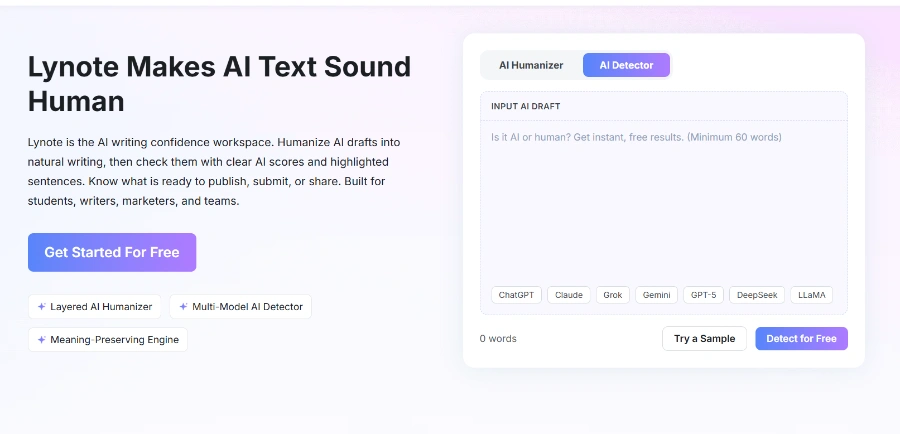
Lynote
Lynote is an AI detection and humanization tool that also offers AI note-taking for students, writers, and professionals.
Rewrites AI-generated text to sound more natural and human-like, adjusting rhythm, phrasing, and word choices to remove robotic qualities.
Offers four distinct writing styles—Academic, Casual, Creative, or Formal—allowing users to match the desired tone and context of their content.
Users can choose to keep the original text length, shorten it, or expand it, with a 'Standard' option that minimally alters the word count.
Allows users to mark specific names, brands, or keywords within their text to ensure they remain exactly as-is during the humanization process.
Provides the ability to rephrase just one specific sentence if it feels off, leaving the rest of the humanized text unchanged.
Users can generate different versions of humanized text as many times as needed without any cost or limitations.
The tool is fully accessible without the need for sign-ups, logins, or creating an account, ensuring immediate and private use.
Users have the option to either paste their AI text directly into the interface or upload a file for humanization.
Detailed Pricing Info
- Completely Free and Unlimited: Offers all features, unlimited word processing, and unlimited reruns without any cost or hidden paywalls.
- No Account or Sign-up Required: Provides instant access to its features without the need for personal information or registration.
- Maintains Original Meaning: Designed to change the *how* text reads, not *what* it says, with term locking available for critical information.
- Versatile Style and Length Controls: Allows users to tailor the output with academic, casual, creative, or formal styles and adjust text length (shorten, standard, expand).
- Privacy-Focused: Explicitly states that it never sells personal information or content, ensuring user data remains private.
- Ethical Use Guidance: Provides clear guidelines on ethical use, discouraging academic dishonesty and promoting responsible application of the tool.
- No Explicit Guarantee of AI Detection Evasion: While the tool aims to make text human-like, it does not explicitly guarantee that the output will bypass all AI detection systems.
- No Multi-Language Support Mentioned: The provided context focuses solely on refining English text, with no explicit indication of support for other languages.
- Relies on User's Ethical Judgment: The tool explicitly states users are responsible for ethical use, indicating that misuse (e.g., for academic dishonesty) is possible despite the tool's intentions.
What is an AI humanizer?
How do I make AI text sound human?
Is this humanizer AI free for everyone?
Will it keep my original meaning?
Do I need an account?
Related Topics
Write a Review
Community Feedback (0)
Ready to try Humanize Max?
Typli.ai
AI writing platform offering 200+ tools, multi-model chat, and image generation for content creators and businesses.
Pixalytica
AI-based KYC reports using facial recognition for identity verification, risk assessment, and fraud prevention from public sources.
AI People Search
AI People Search uses image and name-based AI to scan the web for similar photo matches and social profiles.
FaceFinder
AI-powered reverse face search engine to find social media profiles, verify identities, and detect catfish by photo.
Go Humanize AI
Go Humanize AI transforms AI-generated text into natural, human-like writing to bypass AI detectors.
Automateed
Automateed is an AI book publishing platform for authors to create, edit, publish, and sell ebooks, audiobooks, courses, and author websites.
AI Image Detector
AI Image Detector cross-checks multiple AI detection models to provide graded conclusions on image authenticity.
Lynote
Lynote is an AI detection and humanization tool that also offers AI note-taking for students, writers, and professionals.