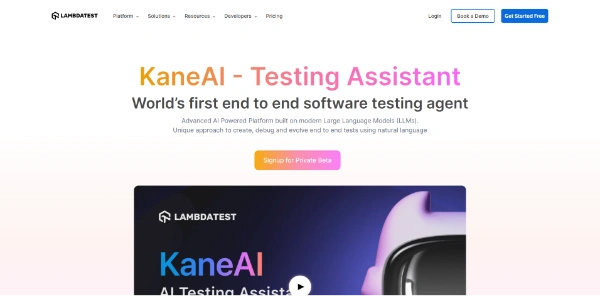
Kane CLI By TestMu AI
AI-powered CLI for autonomous test automation, enabling natural language test authoring for web and mobile applications.
Relevant Reads
Related AI Tools

Buda AI
Buda AI is a cloud-native multi-agent platform enabling teams to run AI agents with persistent memory, browser automation, and parallel execution.

Rootlenses
Rootlenses is an AI suite combining voice agents and data analytics to automate processes and enhance decision-making for enterprises.

Leapd
Leapd is an AI co-founder platform that uses autonomous AI agents to build, launch, run, and grow businesses 24/7.

Loopa
Loopa is an AI agent platform for workflow automation and content creation, enabling users to research, analyze, and execute complex tasks.
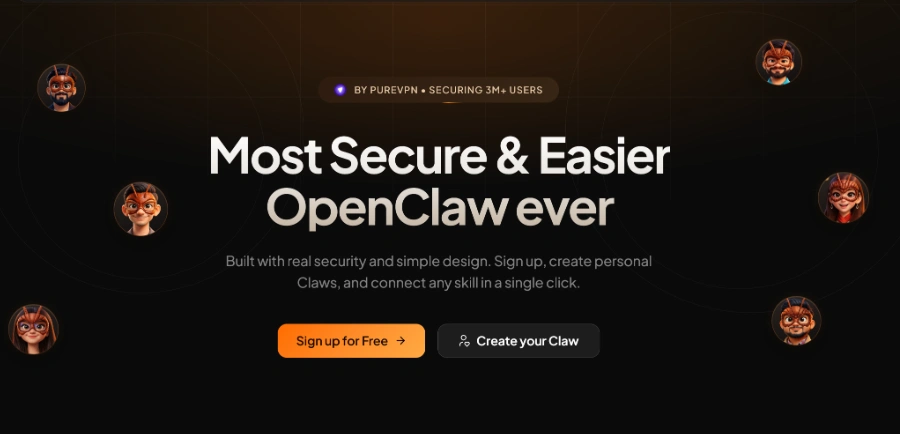
PaioClaw
PaioClaw is an AI agent platform that sets up secure OpenClaw agents to automate tasks across various applications.

GPT‑5.6
GPT-5.6 is an advanced LLM model by Anthropic, offering state-of-the-art performance in software engineering, knowledge work, vision, and scientific research for complex tasks.
GrokBot
GrokBot is an AI agent and shared teammate from SpaceXAI, designed to learn and assist with various tasks.

Springbrand
SpringBrand offers tools and a marketplace to enhance DeepSeek Harness (dsh), an open-source, plugin-based AI agent harness for developers.
Allows users to describe desired test scenarios in plain English, which Kane CLI then translates into executable steps to navigate, interact with elements, fill forms, extract data, and validate outcomes.
Supports testing web applications in a real Chrome browser and native mobile applications on virtual devices, specifically Android Emulators or iOS Simulators (on macOS Apple Silicon).
Enables users to run tests directly from any terminal or integrated development environment (IDE), including Cursor, Antigravity, VS Code, Codex, Kiro (AWS), Eclipse-based IDEs, and web-based IDEs.
Supports headless mode execution with structured JSON output and standard exit codes, facilitating seamless integration into continuous integration and continuous deployment (CI/CD) workflows.
Can be directly invoked and utilized as a skill by AI coding agents such as Claude Code, Codex CLI, and Gemini CLI to perform UI testing and verification on behalf of the agent.
Kane AI can process various inputs, including text, code diffs, tickets, documentation, images, or other media, to automatically plan test scenarios and generate test cases.
Converts authored tests into executable automation scripts for web and mobile platforms, which can then be run at scale on TestMu AI's cloud grid, HyperExecute.
Detailed Pricing Info
- Enables no-code, natural language test authoring, significantly reducing the effort and technical expertise required for test creation.
- Offers versatile testing capabilities for both web applications in real browsers and native mobile apps on virtual devices.
- Seamlessly integrates into CI/CD pipelines and is compatible with various IDEs and AI coding agents, enhancing developer workflows.
- Supports multi-modal inputs (text, diffs, tickets, docs, images) for automated test planning and case generation, accelerating test creation.
- Part of a unified quality engineering platform (TestMu AI) that centralizes automation, execution, and insights.
- Mobile testing on virtual devices is currently restricted to macOS Apple Silicon, limiting its accessibility for users on other operating systems.
- Advanced features like cloud authoring, increased parallel tests, and HyperExecute execution minutes are gated behind paid subscription tiers.
- Usage is managed through a credit system, which may require careful monitoring to avoid exceeding limits, especially for larger testing volumes.
What is Kane CLI By TestMu AI?
What can Kane CLI test?
How does Kane CLI integrate with other tools and workflows?
Main Categories
Related Topics
Write a Review
Community Feedback (0)
Ready to try Kane CLI By TestMu AI?
Buda AI
Buda AI is a cloud-native multi-agent platform enabling teams to run AI agents with persistent memory, browser automation, and parallel execution.
Rootlenses
Rootlenses is an AI suite combining voice agents and data analytics to automate processes and enhance decision-making for enterprises.
Leapd
Leapd is an AI co-founder platform that uses autonomous AI agents to build, launch, run, and grow businesses 24/7.
Loopa
Loopa is an AI agent platform for workflow automation and content creation, enabling users to research, analyze, and execute complex tasks.
PaioClaw
PaioClaw is an AI agent platform that sets up secure OpenClaw agents to automate tasks across various applications.
GPT‑5.6
GPT-5.6 is an advanced LLM model by Anthropic, offering state-of-the-art performance in software engineering, knowledge work, vision, and scientific research for complex tasks.
GrokBot
GrokBot is an AI agent and shared teammate from SpaceXAI, designed to learn and assist with various tasks.
Springbrand
SpringBrand offers tools and a marketplace to enhance DeepSeek Harness (dsh), an open-source, plugin-based AI agent harness for developers.