CastReader
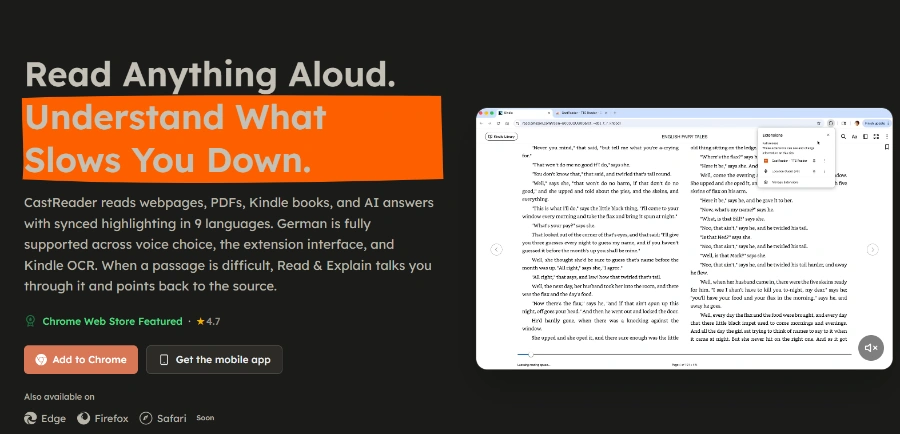
CastReader is an AI text-to-speech tool that reads aloud Kindle books, PDFs, and web pages with synced highlighting and AI explanations.
Related Categories
Relevant Reads
Related AI Tools

Qwen3-TTS
This profile for Qwen3-TTS indicates that specific information about a Text-to-Speech tool named 'Qwen3-TTS' is not present in the provided official Qwen project context.
A2E AI
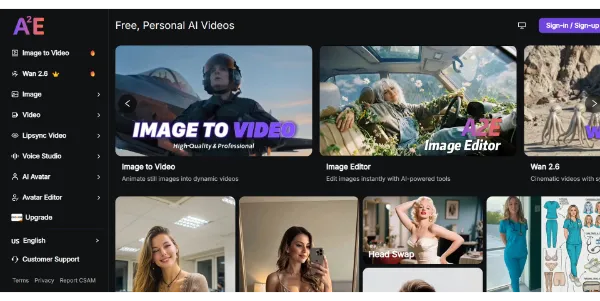
A2E AI is a free personal AI video and image creator studio offering tools for image-to-video, head swap, voice clone, and AI avatars.

GPT for Work
AI agent for Excel and Google Sheets to automate spreadsheet tasks, data cleaning, analysis, formula writing, and content generation.
Perplexity AI
Perplexity AI is a revolutionary answer engine that provides real-time, accurate information with source citations.

Google AI Edge Eloquent
An AI-powered iOS dictation app that transforms natural speech into clean, professional text using on-device processing.
Revise
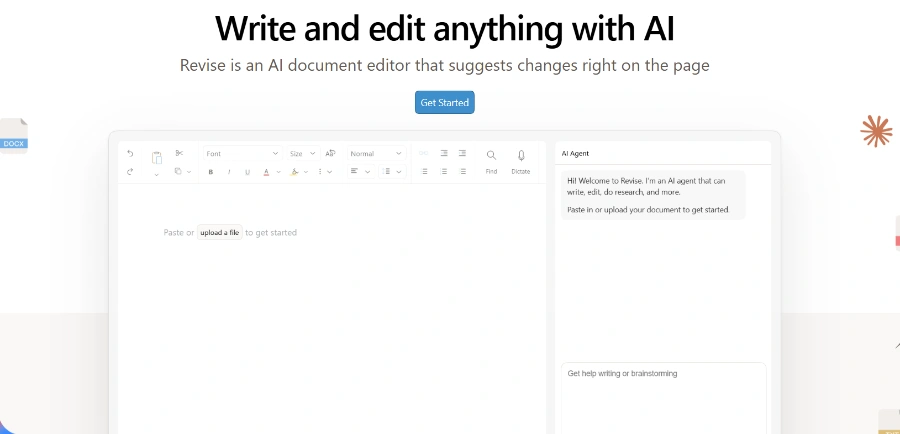
AI document editor for writing, proofreading, reformatting, and revising entire documents with tracked changes.

Revid
Revid is an online AI video generator that transforms ideas, text, images, or references into high-quality videos for various content creation needs.
SlidesPilot
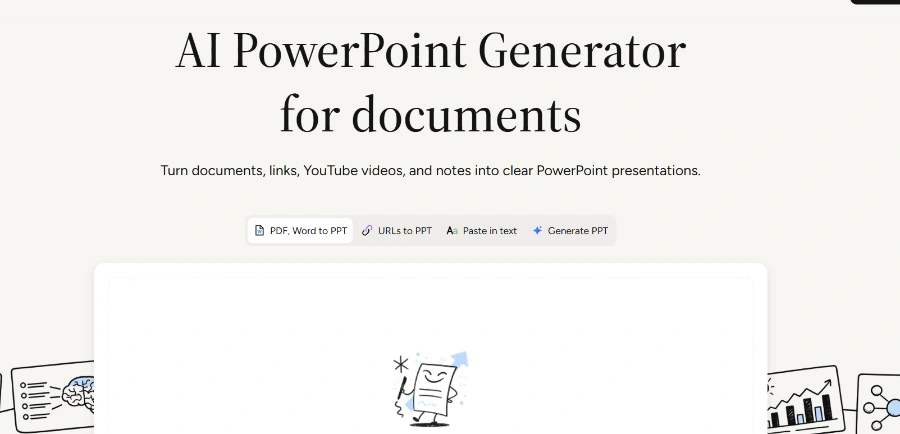
AI PowerPoint generator that converts documents, links, videos, and text into clear, presentation-ready slides.
Reads aloud text from webpages, PDFs, Kindle books, and AI answers, with words highlighted in sync as they are spoken, allowing users to follow along visually.
Provides AI-generated explanations for difficult or dense passages, which are anchored to the original source text with visual cues like pen marks, subtitles, and spoken guidance, helping users understand complex content.
Allows users to record a sample of their own voice to create multiple private voice clones, which can then be applied to read aloud and explain PDF, EPUB, Word, or TXT files.
Available as native applications for iPhone, iPad, and Android phones/tablets, and as browser extensions for Chrome, Edge, and Safari for Mac, ensuring broad accessibility across devices.
Narrates content from Kindle, WeRead, and O'Reilly, including Kindle Cloud Reader, with features like auto-page turning, chapter-by-chapter narration, and mobile app support for listening away from a desk.
Offers a REST API for developers to integrate private voice cloning and text-to-speech capabilities into their own products, supporting 10 languages and providing MP3 or WAV output.
Provides a voice catalog with 336 selectable voices across 28 languages, including both free and Pro options, with English and Mandarin being generally available.
Supports uploading and reading aloud local documents in PDF, Word (DOCX), and TXT formats, with the original file remaining on the user's device for privacy.
Detailed Pricing Info
- Enhanced Comprehension with Read & Explain: The unique 'Read & Explain' feature significantly aids understanding of complex texts by providing guided, source-anchored explanations with visual cues.
- Broad Content Compatibility: Reads aloud a wide range of content including webpages, PDFs, Kindle books, and AI answers from platforms like Claude, making it versatile for various reading needs.
- Personalized Reading Experience: Offers private voice cloning, allowing users to create and utilize their own voice for reading local documents, enhancing comfort and engagement.
- Cross-Platform Accessibility: Available on major mobile platforms (iOS, Android) and popular browsers (Chrome, Edge, Safari), providing flexibility for users to listen on their preferred device.
- Developer Options: Provides a robust API for businesses and developers to integrate advanced text-to-speech and voice cloning capabilities into their own applications.
- Privacy-Focused Document Handling: Local documents (PDF, Word, TXT) are processed in the browser, with the original file remaining on the user's device, ensuring data privacy.
- Daily Limits on Free Tier: The free plan is restricted to 20 minutes of listening and 3 AI explanations per day, which can be limiting for users with heavy reading demands.
- Feature Variation Across Platforms/Sources: Not all features, such as identical extraction, highlighting, voices, or synchronization, are guaranteed to be consistent across every source or language.
- No DRM/Paywall Bypass: The tool explicitly states it does not bypass DRM, paywalls, or source permissions, meaning some restricted content might remain inaccessible.
- Limited Free Voice Options: The free tier offers standard AI voices, while a wider selection of more premium and expressive voices is reserved for Pro subscribers.
- Dedicated Desktop Apps are 'Coming Soon': While browser extensions are available, native Mac and Windows desktop applications are still under development and not yet released.
Is listening free with CastReader?
Is CastReader only a Chrome extension?
Does one CastReader account work across all platforms?
What types of content can CastReader read aloud?
How does the 'Read & Explain' feature work?
Main Categories
Related Topics
Write a Review
Community Feedback (0)
Ready to try CastReader?
Qwen3-TTS
This profile for Qwen3-TTS indicates that specific information about a Text-to-Speech tool named 'Qwen3-TTS' is not present in the provided official Qwen project context.
A2E AI
A2E AI is a free personal AI video and image creator studio offering tools for image-to-video, head swap, voice clone, and AI avatars.
GPT for Work
AI agent for Excel and Google Sheets to automate spreadsheet tasks, data cleaning, analysis, formula writing, and content generation.
Perplexity AI
Perplexity AI is a revolutionary answer engine that provides real-time, accurate information with source citations.
Google AI Edge Eloquent
An AI-powered iOS dictation app that transforms natural speech into clean, professional text using on-device processing.
Revise
AI document editor for writing, proofreading, reformatting, and revising entire documents with tracked changes.
Revid
Revid is an online AI video generator that transforms ideas, text, images, or references into high-quality videos for various content creation needs.
SlidesPilot
AI PowerPoint generator that converts documents, links, videos, and text into clear, presentation-ready slides.